Festival-Perlen entdecken mit einem Python-Skript
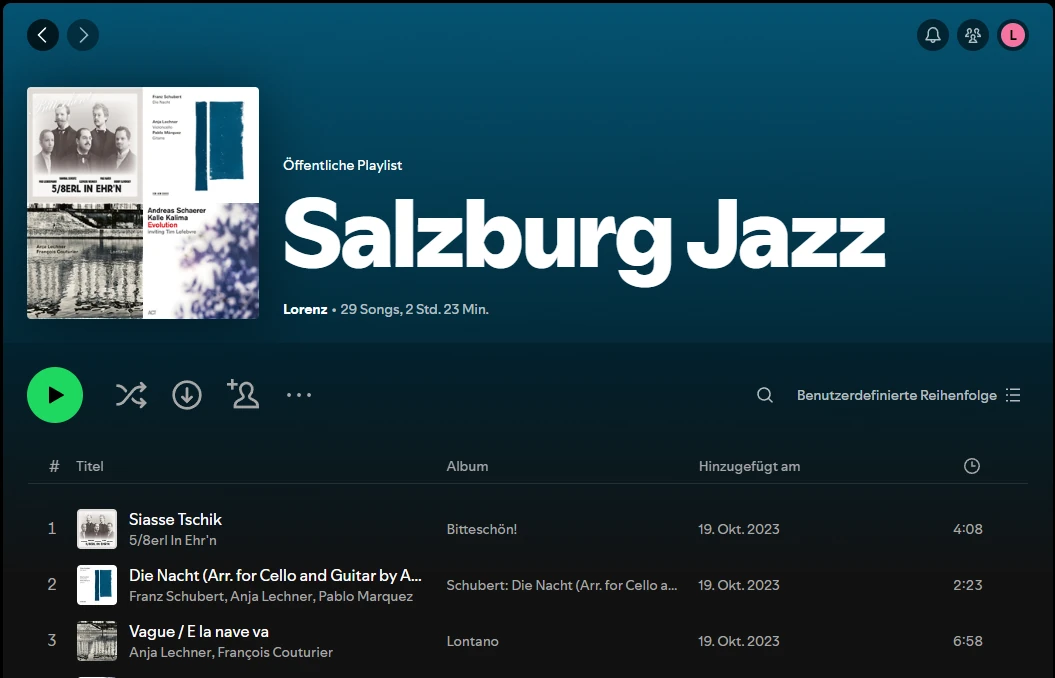
Steht ihr auf Festivals auch oft vor der schieren Menge an Bands und wisst nicht, welche ihr euch ansehen sollt? Gerade auf kleineren Festivals mit unzähligen weniger bekannten, aber wertvollen Acts ist es nicht leicht zu entscheiden, wofür man seine Zeit einsetzt. Vor genau diesem Dilemma stand ich kürzlich mit meiner Freundin auf einem Festival. Meine Lösung war ein Python-Skript, das eine Liste von Künstlern einliest und daraus eine Spotify-Playlist mit ihren beliebtesten Songs erstellt. So bekommt man schnell einen Eindruck davon, was die einzelnen Acts zu bieten haben, und kann fundiert entscheiden, welche Auftritte man besucht.
So richtet ihr das Skript ein und nutzt es.
Schritt 1: Abhängigkeiten installieren
Zuerst müsst ihr die nötigen Python-Bibliotheken installieren. Das Skript nutzt die Bibliothek spotipy, um mit der Spotify-API zu kommunizieren. Installiert sie mit pip:
pip install spotipy
Schritt 2: Spotify-Developer-Konto einrichten
Um die Spotify-API zu nutzen, braucht ihr ein Spotify-Developer-Konto und eine neue Anwendung, für die ihr die nötigen Zugangsdaten erhaltet.
- Öffnet das Spotify Developer Dashboard und meldet euch mit eurem Spotify-Konto an.
- Klickt auf „Create an App“ und füllt die erforderlichen Angaben aus.
- Sobald eure App erstellt ist, seht ihr die
Client IDund dasClient Secret. Diese braucht ihr für euer Skript. - Legt die Redirect-URI für eure App fest. Das kann jede gültige URI sein; für Entwicklungszwecke könnt ihr
http://localhost:8888/callbackverwenden.
Schritt 3: Skript konfigurieren
Legt im selben Verzeichnis wie euer Skript eine Datei config.json mit folgendem Inhalt an:
{
    "client_id": "your_spotify_client_id",
    "client_secret": "your_spotify_client_secret",
    "redirect_uri": "your_spotify_redirect_uri"
}
Ersetzt your_spotify_client_id, your_spotify_client_secret und your_spotify_redirect_uri durch die Werte aus eurem Spotify Developer Dashboard.
Schritt 4: Künstlerliste vorbereiten
Legt im Verzeichnis eures Skripts einen Ordner input an und darin eine Textdatei namens artists.txt. Schreibt jeden Künstlernamen in eine eigene Zeile, zum Beispiel:
Artist One
Artist Two
Artist Three
Schritt 5: Skript ausführen
Ladet das Skript aus folgendem GitLab-Repository herunter: Spotify-Playlist-Generator-Skript
Führt das Skript im Terminal aus:
python playlistgen.py
Das Skript liest die Künstlerliste aus artists.txt, ruft deren Top-Songs bei Spotify ab und erstellt in eurem Spotify-Konto eine Playlist namens „Top Tracks by Artists“.
import spotipy
from spotipy.oauth2 import SpotifyOAuth
import json
import os
import sys

def load_artists(file_path):
    with open(file_path, 'r') as file:
        return [line.strip() for line in file]

def load_config(config_path):
    with open(config_path, 'r') as file:
        return json.load(file)

def main(artists_file_path):
    script_dir = os.path.dirname(os.path.abspath(__file__))
    input_folder = os.path.join(script_dir, 'input')

    # Load artists from file
    artists_file_path = artists_file_path or os.path.join(input_folder, 'artists.txt')
    artists = load_artists(artists_file_path)

    # Load Spotify credentials from config.json
    config_path = os.path.join(script_dir, 'config.json')
    config = load_config(config_path)

    # Initialize the Spotify API client
    sp = spotipy.Spotify(auth_manager=SpotifyOAuth(client_id=config['client_id'],
                                                   client_secret=config['client_secret'],
                                                   redirect_uri=config['redirect_uri'],
                                                   scope='playlist-modify-public'))

    # Create a new playlist
    playlist = sp.user_playlist_create(sp.current_user()['id'], 'Top Tracks by Artists')

    # Iterate through the list of artists and add their top track to the playlist
    for artist_name in artists:
        results = sp.search(q=f'artist:"{artist_name}"', type='artist')
        if results['artists']['items']:
            artist = results['artists']['items'][0]
            top_tracks = sp.artist_top_tracks(artist['id'])
            if top_tracks['tracks']:
                top_track = top_tracks['tracks'][0]
                sp.playlist_add_items(playlist['id'], [top_track['uri']])

    print(f'Playlist "{playlist["name"]}" created with the top tracks of the listed artists.')

if __name__ == "__main__":
    artists_file_path = sys.argv[1] if len(sys.argv) > 1 else None
    main(artists_file_path)
Jetzt habt ihr eine maßgeschneiderte Spotify-Playlist mit den Top-Songs der Acts, die auf eurem Festival spielen, und könnt leichter entscheiden, welche Bands ihr live sehen wollt. Viel Spaß mit der Musik und eine tolle Zeit auf eurem Festival! Quelle